
Thailand TDAC Arrival Card: Free, File Within 3 Days
The Thailand Digital Arrival Card is free. Every non-Thai national entering by air, land or sea fills it in online within 3 days before arrival, for every entry. The only official site is tdac.immigration.go.th. Sites that ask for payment are not official Thai government sites.
On this page
Type tdac.immigration.go.th into your browser and the form costs nothing. The Thailand Digital Arrival Card replaces the paper TM.6 card. It is an immigration requirement, not a visa.
Who must file, and when
All non-Thai nationals entering Thailand by air, land or sea must complete the TDAC online. The registration must be done within 3 days prior to arrival.
Foreigners submit their arrival card information 3 days in advance of their arrival date. The TDAC can be submitted online within a three-day window preceding the travel date.
You file again for each trip. The TDAC must be submitted for every entry into Thailand, and one card is valid for a single entry only.
Visa-exempt and visa holders both file
Visa type does not change the duty. All travellers must complete the TDAC regardless of visa type, including those entering under the Visa Exemption scheme. The card covers tourists, business travellers and long-term residents.
The TDAC does not replace a visa. All existing visa requirements and the visa exemption scheme remain unchanged while this form is in effect. Tourism-only visa-exempt entry is up to 30 days.
Who skips it
Three groups do not file a TDAC:
- Thai nationals returning to Thailand.
- Travellers transiting or transferring without passing through immigration control.
- People entering using a Border Pass.
Children and families
Children and infants file too, and a parent or guardian completes the form for the child. If you travel with others, the Add button includes their information, and you repeat the steps for each person.
Step by step: how to file
Have the details ready before you open the form: full name, date of birth and nationality. You also need flight information, the arrival date and accommodation in Thailand.
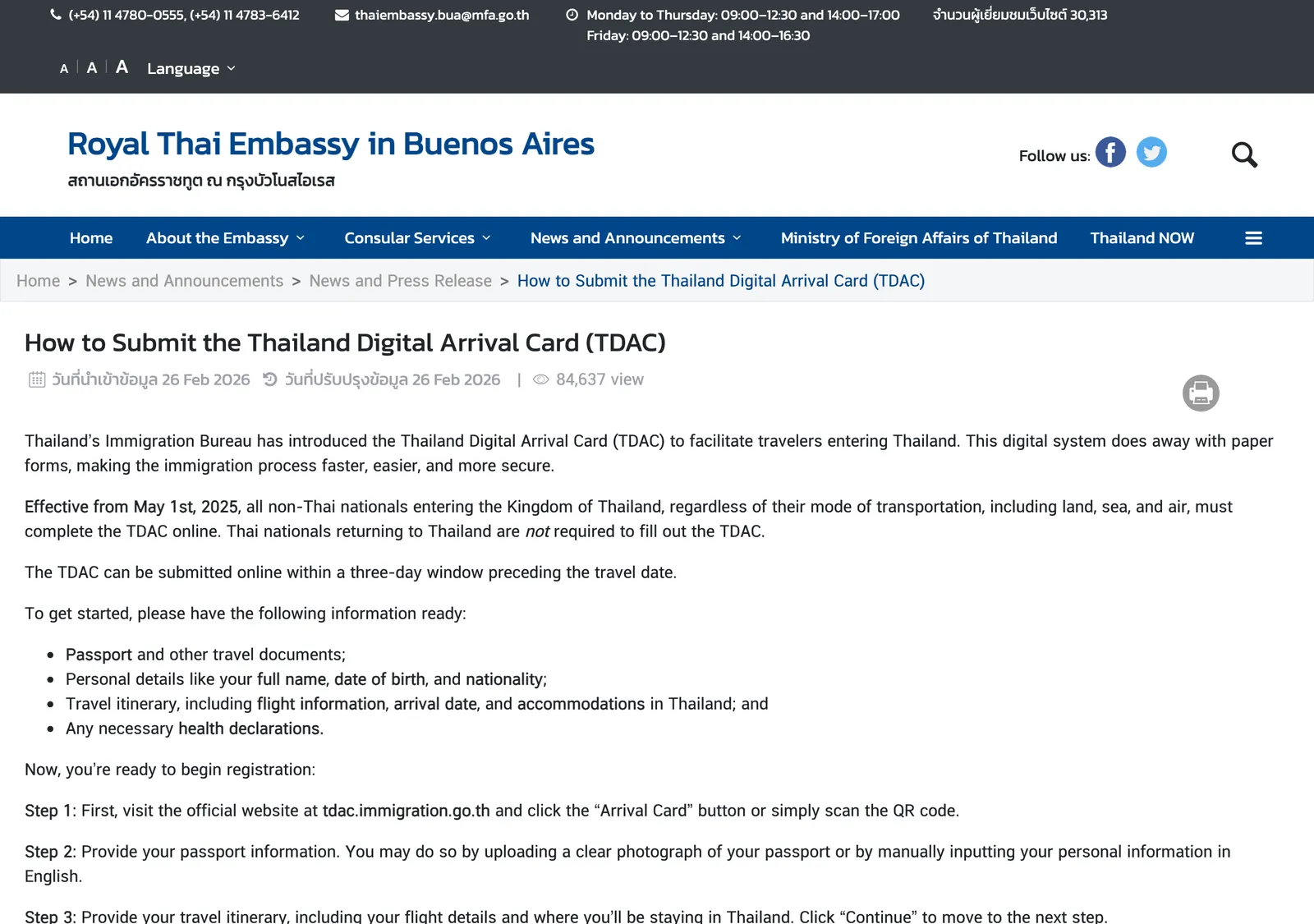
- Visit tdac.immigration.go.th and click the Arrival Card button, or scan the QR code.
- Provide your passport information, by uploading a clear photograph of the passport or typing your personal information in English.
- Provide the travel itinerary, including flight details and where you will stay in Thailand.
- Answer the health declaration if the system prompts it, which applies to specific nationalities or recent travel to high-risk areas.
- Add companions with the Add button if you travel with others.
- Enter an email address for the confirmation, agree to the terms and click Submit.
- Download the evidence of your submission or check your email for the confirmation.
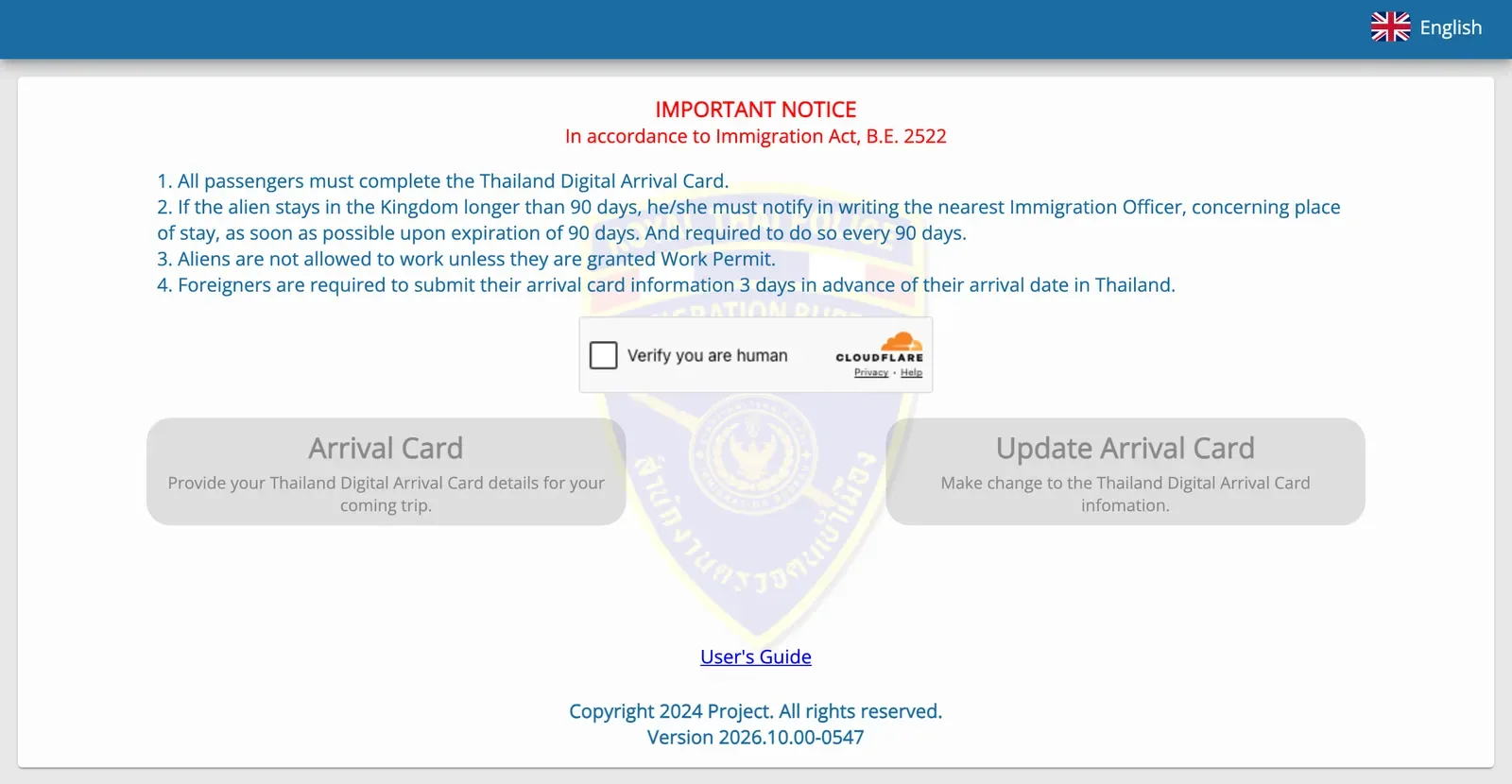
The official home page also has an Update Arrival Card button for changes to the information. Use it if your flight or hotel changes before you land.
What to show at immigration
The confirmation email carries the TDAC as a QR code. The PDF can be printed out or shown on a smartphone at the immigration checkpoint.
Be sure to have it ready to present on arrival. If the email or QR code never arrives, notify the immigration officer at the checkpoint.
If you cannot file before the flight
Completing the TDAC can be done right up until the time you go through immigration. Several airports offer wifi for completing the form online, and kiosks if your device is unavailable. Kiosks are at Suvarnabhumi, Don Mueang, Phuket, Chiang Mai and Hat Yai airports.
Filing earlier is simpler. The three-day window means you can do it at home, with your booking details open.
Common cases: families, groups, transit, land and sea
Families with children
One person completes the form for the whole party. A parent or guardian completes it for a child or infant. Use the Add button for each companion and repeat the steps for each person. Each traveller then has an entry in the submission, so check every passport number before you submit.
Groups travelling together
The Add button is the group tool. Each person still needs their own passport details and itinerary. Keep one confirmation email for the party, and carry it on one phone or printout.
Transit passengers
You file only when you pass through the immigration checkpoint and leave the airport. Transfers without immigration control skip it. If your layover turns into a night in the city, you pass immigration, so file before you do.
Arriving by land or sea
Land and sea arrivals file exactly as air arrivals do. A Border Pass entry is the one exception. At a land crossing, the form can be completed right up until you go through immigration, so use mobile data before the queue.
Changing your flight after you submit
The site has an Update Arrival Card button for changes. A new arrival date or hotel is a change to the information you gave. The form is valid for a single entry, so a new trip means a new form.
If you forgot to file
The form can be completed right up until you go through immigration. Several airports offer wifi and kiosks. If the confirmation never arrives, notify the immigration officer.
Visa on Arrival and visa-exempt travellers
Both groups file, regardless of visa type. The TDAC is not a visa. Visa-exempt entry is for up to 30 days. The visa side is in the Visa on Arrival guide, the visa exemption guide and the tourist entry fee status.
Fake TDAC websites and how to avoid them
The TDAC is free, and travellers are warned to be wary of any website charging administrative fees. The Ministry of Tourism and Sports calls websites that request payment scams, not official Thai government sites.
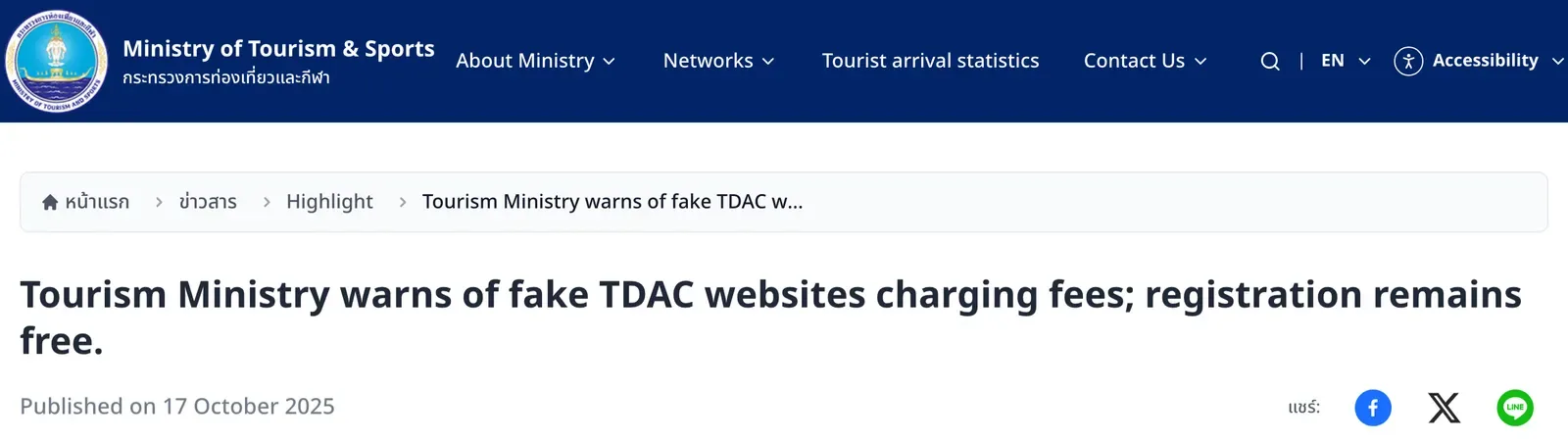
Visitors can only submit their information through the official Immigration Bureau website, tdac.immigration.go.th. The Ministry urges visitors not to trust any website or page claiming to act as an agent or requesting payment for TDAC registration.
Spot the pattern before you type anything:
- The page asks for payment at any step.
- The page presents itself as an agent for the card.
- The address is not tdac.immigration.go.th.
Your data also matters. The official system secures your information under the Personal Data Protection Act, and only immigration and border security authorities access it.
If you meet a fake site, record the website URL, screenshots or messages received. Report them to the Cyber Police Hotline 1441 or the Online Complaint Center 1212 OCC.
Other rules on the same official notice
Two more Immigration Act rules show on the TDAC home page. If you stay longer than 90 days, you notify the nearest immigration officer in writing of your place of stay, and repeat this every 90 days. Aliens are not allowed to work unless they hold a work permit.
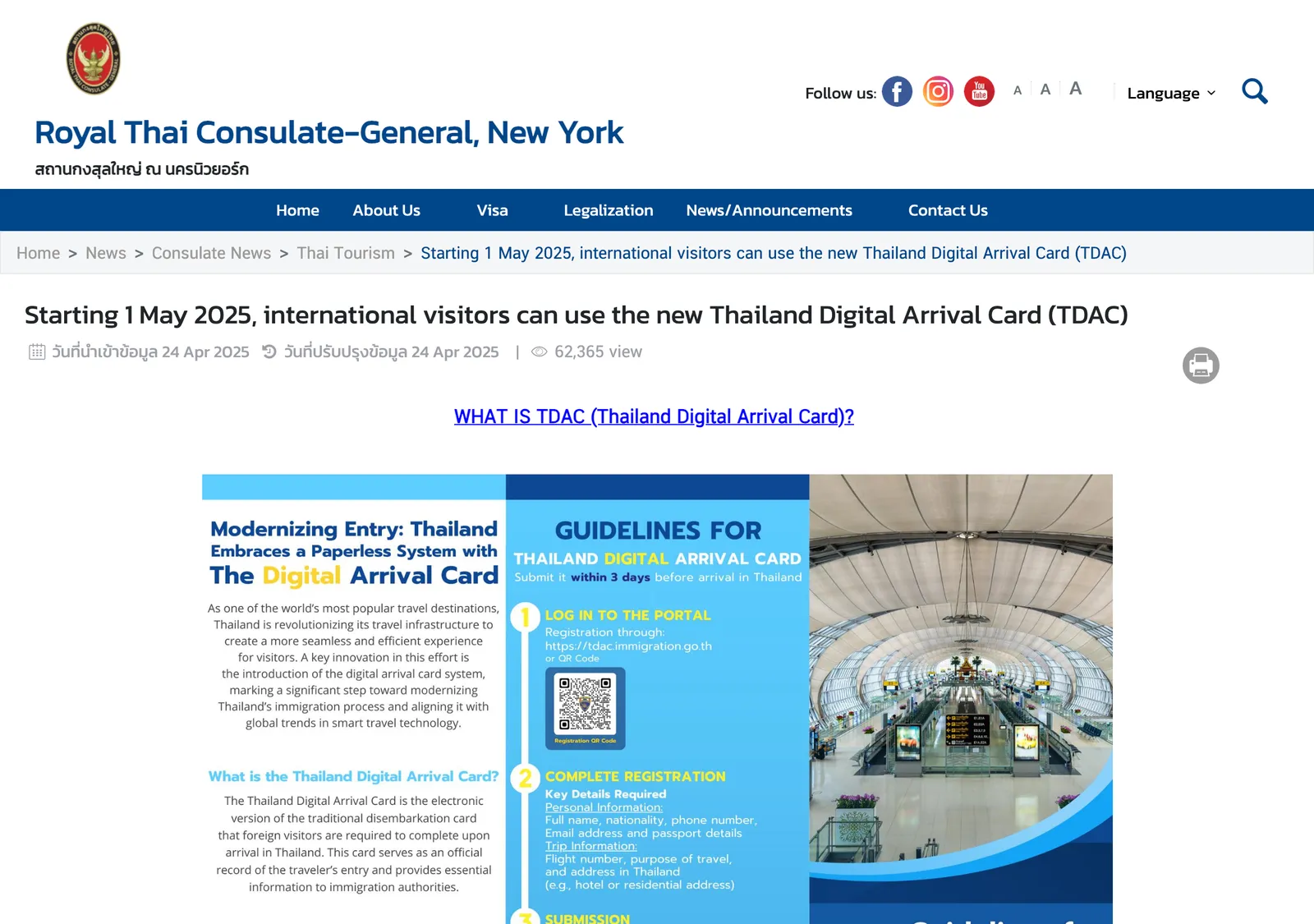
Step by step
- Open the official siteType tdac.immigration.go.th in your browser and click Arrival Card, or scan the QR code on an official embassy page.
- Enter passport detailsUpload a clear photo of the passport or type your personal information in English.
- Add the tripGive your flight details and where you will stay in Thailand.
- Answer the health questions if promptedPeople with specific nationalities, or recent travel to high-risk areas, get an extra health declaration step.
- Add companions and submitUse the Add button for each person travelling with you, enter an email address, accept the terms and submit.
- Keep the confirmationDownload the evidence or keep the email, ready to present on arrival.
Not confirmed: The site offers an Update Arrival Card button, and the fields it lets you change are unclear. File with final flight and hotel details, and carry the newest confirmation.
Common questions
Is the Thailand Digital Arrival Card free?
Yes. The TDAC is free of charge, and it is not a visa. The official site is titled "No Fees Required".
When do I fill in the TDAC?
Within 3 days before arrival. Completion can run right up until you go through immigration.
Do I file a new TDAC for every trip?
Yes. The TDAC must be submitted for every entry into Thailand. It is valid for a single entry.
Do children and babies need a TDAC?
Yes. Children and infants are included, and a parent or guardian completes the form for the child.
Do I need a TDAC if I only change planes in Bangkok?
No, when you do not pass immigration control or leave the airport.
Do I still need a TDAC if my passport is visa-exempt?
Yes. All travellers must complete it regardless of visa type, including those entering under the visa exemption scheme.
What do I show at the immigration counter?
The confirmation email carries the TDAC as a QR code, and the PDF can be printed or shown on a device at the checkpoint.
What if the confirmation email never arrives?
Notify the immigration officer at the checkpoint.
Is there a TDAC fee at the airport or on a TDAC agent site?
No. The TDAC can be completed free of charge, and travellers are warned to be wary of any website charging administrative fees.
Where do I report a fake TDAC site?
Record the website URL, screenshots or messages, and report to the Cyber Police Hotline 1441 or the Online Complaint Center 1212 OCC.
Read next
General information checked against the sources listed above, not legal advice for your situation. Rules and office practice change; confirm with the immigration office or a licensed adviser before you act. See how guides are checked.
Spotted an error? Report it.
Comments (1)
Few-Homework7039
You need an itinerary. I saw officers questioning where they want to go and going with the flow is not a good answer. Just get ai to give you some itinerary, I know don’t have to follow it anyway. And make sure you have at least 20k Thb CASH on hand. Money in the bank or cc doesn’t count